2D vs 3D Animation: Which One Actually Fits Your Brand?
Tags: Animation Techniques
Service: 2D Animation, 3D Animation
![2d-vs-3d-animation-for-brands[Banner].webp](https://cdn.stytchastory.com/2d_vs_3d_animation_for_brands_Banner_4a9eecf31f.webp)
Most brands pick an animation style based on what looks impressive in a pitch deck - not what the goal actually needs. That's how a product launch ends up with a full 3D build when a sharp 2D explainer would've done the job just as well, or how a physical product gets a flat 2D treatment that undersells its detail. The 2D vs 3D animation decision isn't about which looks better. It's about what your video needs to do.
Here's the short version: 2D animation is built for explaining ideas quickly and flexibly. 3D animation is built for showing physical detail - products, spaces, texture, scale. Neither is the "default" choice. Below is the decision framework, the skills and pipeline each format actually requires, and the use-case fit to help you choose without guessing.
The Core Difference: What Each Format Is Built For
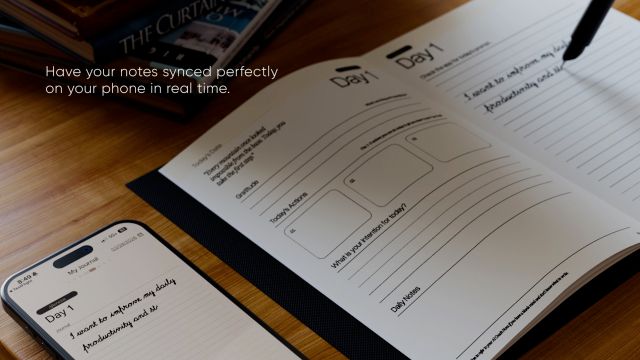
2D animation communicates in flat space - characters, icons, and motion graphics that move across a screen. It's the natural format for explaining a concept, a process, or a value proposition, because nothing competes with the message. There's no lighting to admire, no camera angle to appreciate. Just the idea, moving.
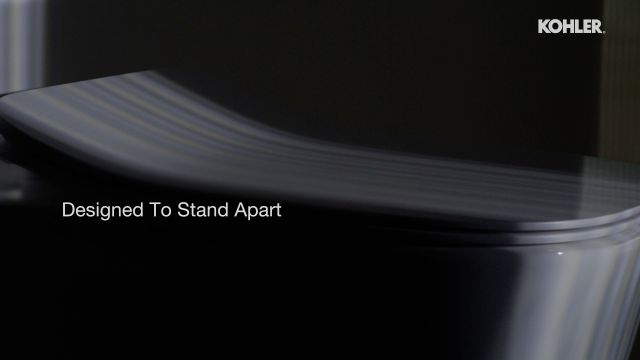
3D animation builds depth, texture, and physical presence. A product rendered in 3D can rotate, be cut open, or sit inside a photorealistic environment. That's why 3D dominates categories where the object itself is the selling point - real estate walkthroughs, product visualization, industrial or technical simulations.
What Each Format Actually Requires: Skills, Software, and Pipeline
The real difference between 2D and 3D isn't the finished look - it's everything that has to happen to get there. Each format pulls from a different skill set, a different software stack, and a fundamentally different production pipeline.
2D animation moves through a relatively linear process: illustration, rigging, then animation, typically built in Adobe Animate and After Effects, with Premiere Pro handling final edit and sound. A small, focused team - often an illustrator and an animator working closely together - can take a concept from script to finished video without handing it off through many specialized stages.
3D animation runs on a longer, more specialized pipeline. Before a single frame animates, a project needs modeling, texturing, rigging, lighting, and camera setup - usually built in Cinema 4D or Blender - followed by rendering and, often, a VFX pass. Before animation even begins, a studio may need to create 3D models, prepare textures, build rigs, set up cameras, light the scene, and test the render quality. Each of those stages tends to sit with a different specialist: a modeler isn't necessarily a lighting artist, and a rigger isn't necessarily a render technician. That's more coordination, more handoffs, and more places a revision request can ripple backward through the pipeline.
This is also why late-stage changes hit 3D projects harder than 2D ones. In 2D, adjusting a scene often means re-drawing or re-timing a frame. In 3D, the same request can mean re-lighting, re-rendering, and re-checking downstream shots - which is why locking the script and storyboard early matters more for 3D than for 2D.
There's an upside to 3D's heavier setup, though: reusability. Once a 3D asset like a mascot or product model is built and rigged, it can be reused across product videos, ads, social posts, and explainers - so the upfront specialist time pays off across a full campaign rather than a single video, in a way flat 2D illustration generally can't match.
Where Each Format Wins: Use-Case Fit
Choose 2D animation if:
- You're explaining a process, service, or abstract idea (SaaS onboarding, how a service works, a campaign concept)
- The video is for social media, where fast production and frequent refreshes matter more than visual depth
- You need a lean team and a faster, more linear production process - fewer specialist handoffs, easier to revise late
- You need assets that double as static graphics - illustrated frames repurpose cleanly into web banners, infographics, and slide decks
Choose 3D animation if:
- The product's physical form, material, or function is the selling point (industrial equipment, consumer hardware, architecture)
- You're building a real estate walkthrough or a space that doesn't exist yet
- You need to show something impossible to film - internal mechanics, microscopic processes, or an anamorphic 3D billboard execution
- You're planning multiple videos from the same asset - a 3D-rigged product model justifies the specialist pipeline across a full campaign, not just one video
- You have a locked script and clear direction going in - 3D rewards projects where the core creative is settled before production starts
A useful gut check: if you could explain your video's message with a whiteboard and a marker, you probably need 2D. If your message depends on the viewer seeing texture, depth, or scale, you need 3D.
This split shows up clearly across Stytch's own client work. B2B product teams launching a physical product - think faucet collections, industrial hardware, real estate developments - default to 3D because the format sells the object itself. SaaS teams and service brands, on the other hand, lean on 2D because their product is a workflow or an outcome, not a physical thing to admire on screen. Neither choice is "better" in the abstract - it's a function of what you're actually selling.
Agencies subcontracting animation work run into a related version of this decision: matching format to the client's brief rather than defaulting to whatever the studio is best known for. A studio with strong CGI and VFX capability, for instance, is worth briefing on 3D-heavy product or environment work even if the agency's own in-house team leans 2D.
The Hybrid Option Most Brands Don't Consider
The 2D-vs-3D framing assumes you have to pick one. In practice, a lot of the strongest brand videos blend both - live-action footage combined with CGI elements, or 2D motion graphics layered over 3D product shots. This is common in CGI and animated CGI video work, where the goal is showing something that can't be filmed conventionally: fire, smoke, an exploded product view, or an environment that only exists as a render.
If your brand needs both an explainer and a product hero shot, it's worth briefing both formats into one project rather than commissioning two separate videos. It's usually more cost-efficient than treating them as unrelated deliverables, since pre-production, scripting, and brand direction only happen once.
This is also where AI-enhanced visualization is starting to change the cost equation, particularly for product video work. Techniques like 3D Gaussian Splatting let teams capture a product from real footage and generate a navigable 3D-style render without a full traditional 3D build - narrowing the gap between what used to be a "2D-budget" project and a "3D-quality" outcome. It's not a replacement for full CGI on complex projects, but for straightforward product hero shots, it's worth asking your studio whether it's an option before defaulting to a full 3D build.
Making the Call: A Simple Framework
Run your video idea through three questions before booking a format:
- Is the goal to explain or to show? Explain → 2D. Show → 3D.
- Will this asset get reused across multiple videos? If yes, 3D's heavier upfront pipeline pays off across a campaign, not just one video.
- Is the creative locked, or still evolving? 3D punishes late changes more than 2D does - if the script or direction might shift, 2D gives you more room to adjust mid-production.
Most brands land on 2D for top-of-funnel content - social ads, explainers, onboarding - and 3D for high-stakes moments where the product needs to be seen in detail: launches, investor decks, or premium campaigns.
Frequently Asked Questions
Q: Why does 3D animation need a bigger team than 2D?
A: 3D splits into specialist stages - modeling, texturing, rigging, lighting, and rendering - each usually handled by a different artist. 2D moves through illustration and animation with a smaller, more unified team.
Q: Can I mix 2D and 3D in one video?
A: Yes - many brand and CGI videos blend both, using 2D for explanatory overlays and 3D for product or environment shots.
Q: Which format is better for social media ads?
A: 2D, in most cases. Faster turnaround and lower cost make it easier to test and refresh creative regularly.
Q: Does 3D animation always convert better than 2D?
A: Not for explainer content - conversion is similar when scripts are equally strong. 3D's edge shows up mainly in product demos, where viewers benefit from seeing realistic detail.
Q: What software do studios use for each format?
A: 2D typically runs on Adobe Animate, After Effects, and Premiere Pro. 3D relies on Cinema 4D or Blender for modeling and animation, alongside dedicated rendering and VFX tools.
Conclusion
The 2D vs 3D decision isn't about which format is more impressive - it's about matching the tool, the team, and the pipeline to the job. If your video needs to explain something, 2D gets there with a leaner team and a faster process. If your video needs to show something - a product, a space, a physical detail - 3D's specialist pipeline earns its keep. Most brands need both at different points in their funnel, not one exclusively. Whichever you're weighing for your next project, Stytch's 2D animation and 3D animation teams can help you brief it against your actual goal rather than a preference.
LATEST PROJECTS